
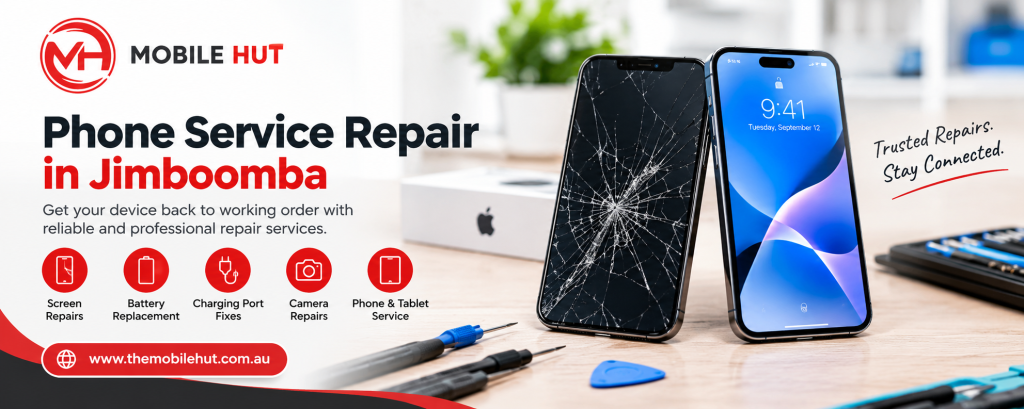
Smartphones have become an essential part of everyday life. From staying connected with family and friends to managing work, online banking, navigation and entertainment, we rely on our mobile devices for countless tasks. When a phone stops working properly, even a minor issue can quickly become frustrating. A cracked screen, weak battery, faulty charging port or malfunctioning camera can interfere with daily activities and make it difficult to use your device confidently. This is where professional phone service repair becomes important.
Choosing a reliable repair service can help restore your phone’s functionality, protect your valuable data and potentially extend the life of your device. For people looking for mobile phone repair services in Jimboomba, The Mobile Hut provides support for common smartphone and tablet problems. Whether your device has suffered accidental damage or developed a fault over time, understanding the available repair options can help you make an informed decision.
This guide explains common mobile phone problems, the importance of professional repairs, what to consider when selecting a repair shop and how regular maintenance can help keep your device working smoothly.
What Is Phone Service Repair?
Phone service repair refers to the professional diagnosis, maintenance and restoration of mobile phones that are damaged or not functioning correctly. Depending on the problem, a repair may involve replacing a damaged component, resolving a hardware fault or identifying a software issue that affects the device’s performance.
Modern smartphones contain several interconnected components, including a display, battery, cameras, charging system, speakers, microphones and internal electronic circuits. A problem with any of these components can affect the overall user experience. Professional assessment helps identify the likely cause of the fault and determine an appropriate solution.
For example, a phone that will not charge may have a damaged charging port, a faulty cable, a worn battery or a software-related problem. Replacing a component without identifying the actual cause can lead to unnecessary expense. A proper assessment helps narrow down the issue before repair work begins.
At The Mobile Hut, customers can seek assistance with common smartphone and tablet issues, including screen damage, battery problems, camera faults and charging port concerns. The appropriate repair depends on the device model, the nature of the fault and the availability of compatible replacement components.
Why Professional Phone Repairs Matter
When a phone develops a fault, replacing it immediately is not always necessary. In many situations, repairing the affected component may be a practical alternative to purchasing another device. Professional phone service repair allows customers to understand the condition of their existing phone before deciding what to do next.
One important benefit is accurate fault identification. A technician can examine the reported symptoms and assess which components may be responsible. This can be particularly useful when a device has several symptoms, such as unexpected shutdowns combined with rapid battery drain or charging difficulties.
Professional repairs can also help reduce the risk of additional damage. Modern smartphones use delicate internal connectors, compact components and carefully fitted displays. Attempting to open a device without the appropriate tools or experience can damage internal parts, affect water resistance or create further complications.
Another advantage is the opportunity to extend the useful life of a device. If the main problem is a damaged screen or an ageing battery, a suitable repair may allow the phone to remain useful for longer. Keeping a device in service can also reduce electronic waste when repair is a viable option.
A reputable repair provider should explain the suspected issue, discuss the available options and provide a clear quote before proceeding. Customers should feel comfortable asking questions about the repair process, estimated turnaround time, replacement components and applicable warranty terms.
Common Mobile Phone Problems That Require Repair
Cracked or Damaged Phone Screens
Screen damage is one of the most common reasons people seek phone service repair. A phone may be dropped on a hard surface, knocked off a table or placed under pressure inside a bag or pocket. Even a small crack can gradually become more noticeable and interfere with everyday use.
Some screen problems involve only the outer glass, while others affect the display underneath. Signs of deeper damage include black patches, coloured lines, flickering, unresponsive touch controls or a screen that remains completely blank despite the phone being switched on.
Continuing to use a badly damaged screen may expose fingers to sharp glass and make the device more difficult to operate. A protective case or screen protector may help prevent future damage, but neither can reverse a broken display.
A professional assessment can determine whether the screen assembly needs replacement and whether other internal components may have been affected by the impact. If your phone has a cracked or malfunctioning display, arrange an inspection before the damage becomes more disruptive.
Phone Battery Problems
A smartphone battery gradually loses capacity as it ages and goes through repeated charging cycles. You may notice that your phone no longer lasts throughout the day, shuts down unexpectedly or requires frequent charging even when you are not using demanding applications.
High screen brightness, background applications, poor mobile reception and certain software settings can also contribute to battery drain. Therefore, rapid battery consumption does not always mean the battery needs replacing.
Checking battery usage, updating the operating system and reviewing applications running in the background can help identify some common causes. If the battery continues to perform poorly, a professional assessment can determine whether replacement is appropriate.
A battery that becomes swollen, unusually hot or physically damaged requires particular care. Stop using or charging the device if you suspect battery swelling, and do not press, puncture or attempt to remove the battery yourself. Seek professional guidance promptly.
Charging Port and Charging Issues
A phone that charges intermittently can be inconvenient, particularly when you depend on it for communication, work or navigation. Charging problems may develop because of a damaged port, accumulated debris, a faulty cable, a defective power adapter or an internal hardware fault.
Before arranging a repair, try a compatible charging cable and adapter that you know work correctly. Check the charging port visually for obvious damage, but avoid inserting metal objects or sharp tools into it. If the device has been exposed to moisture, do not attempt to charge it until it has been assessed and is safe to do so.
If the phone only charges when the cable is held at a particular angle, the port or connector may be damaged. Repeatedly forcing the cable into place can make the problem worse.
Professional phone service repair can help identify whether the fault relates to the charging port, battery or another component. Addressing the underlying cause is more effective than repeatedly replacing accessories without confirming the source of the problem.
Camera and Photography Problems
Smartphone cameras are important for capturing family moments, scanning documents, attending video calls and creating content for work or social media. When the camera stops focusing, produces blurry images or fails to open, it can affect more than just photography.
Some camera problems are caused by software issues, incorrect settings, dirt on the lens or an application malfunction. Cleaning the external lens with a soft microfibre cloth and restarting the phone may resolve minor issues.
However, persistent focusing problems, a black camera preview, unusual clicking sounds or visible damage after a drop may indicate a hardware fault. A technician can assess whether the camera module, connector or another component requires attention.
Before paying for a camera repair, explain the symptoms clearly and mention whether the issue affects the front camera, rear camera or both. This information can help narrow down the possible causes.
Speaker, Microphone and Audio Faults
Audio problems can make phone calls difficult and interfere with music, video playback and voice messages. You might notice that callers cannot hear you, sound is distorted or the speaker volume has become unusually low.
First, check the volume settings, disconnect any Bluetooth accessories and confirm that the correct audio output is selected. Test the microphone using a voice recording application and check whether the issue occurs across multiple applications.
If the problem continues, the speaker, microphone, internal connection or another component may require inspection. Physical damage, dust and moisture exposure can contribute to audio faults.
A professional diagnosis helps establish whether the problem is related to hardware or software before repair work is undertaken.
Finding a Reliable Phone Repair Shop in Jimboomba
Choosing the right repair provider is an important part of the repair process. Customers want a service that understands their device, communicates clearly and offers a suitable solution without unnecessary replacements.
For people searching for mobile phone repair in the local area, Mobile Hut Jimboomba is a relevant search phrase when looking for The Mobile Hut and its device repair services.
Start by checking whether the repair provider works with your particular smartphone or tablet model. Different devices use different screens, batteries, connectors and internal layouts. Confirming model compatibility before visiting can save time and help establish whether the required repair is possible.
Communication is equally important. A trustworthy repair service should explain the suspected fault, discuss the proposed work and clarify the expected cost before proceeding. If further damage is discovered during the repair, the provider should communicate this and obtain approval for additional work.
Ask about the parts being used, the expected turnaround time and any applicable repair warranty. Warranty coverage can vary depending on the repair, components and provider, so it is better to understand the specific terms rather than assume that every repair includes the same coverage.
Customer feedback may also help you understand how a business handles communication, service quality and repair concerns. Consider recent reviews alongside the information available on the business’s official website.
What to Expect During a Phone Service Repair
Understanding the repair process can make the experience less stressful. Although the exact steps depend on the device and fault, a professional repair generally begins with a discussion about the symptoms.
You should explain when the problem started, whether the phone was dropped or exposed to moisture, and whether you have already attempted any troubleshooting. Details such as intermittent charging, sudden shutdowns or touch-screen failures can help identify possible causes.
The next step is an assessment of the device. Depending on the symptoms, the technician may examine the display, charging system, battery performance, cameras, buttons and other relevant components. Some faults may require additional testing before the exact cause can be established.
Once the problem has been identified, the repair options and estimated costs should be explained. You can then decide whether to proceed, based on the condition of the device, the cost of repair and the value of replacing it.
After the repair, appropriate functional checks help establish whether the reported problem has been addressed. Depending on the work performed, these checks may include testing the display, touch response, charging, cameras, speakers and buttons.
Before handing over your phone, back up important data whenever possible. Remove sensitive information where practical, disable payment services if necessary and follow the repair provider’s instructions for device preparation. Never share your account password unnecessarily. If a repair genuinely requires access to certain device functions, ask why and discuss available privacy-preserving alternatives.
Phone Repair or Replacement: Which Is Better?
Deciding whether to repair or replace a phone depends on several factors. These include the age of the device, the severity of the fault, the cost of repair, battery condition, software support and your everyday requirements.
A relatively recent smartphone with a cracked screen may be worth repairing if the remaining components work correctly and the repair cost is reasonable. Similarly, replacing a worn battery may restore useful battery life without requiring you to purchase an entirely new device.
However, if a phone has multiple serious faults, extensive liquid damage or a repair cost approaching the price of a suitable replacement, purchasing another device may be more practical.
You should also consider software support. A phone that no longer receives important security updates may become less suitable for sensitive activities such as online banking, even if the hardware can be repaired.
Ask for a clear repair quote and compare it with the cost of replacing the device. Consider how much storage you need, whether your current phone meets your performance requirements and whether transferring your data to another device would create additional costs or inconvenience.
A good repair decision is based on the overall condition and long-term usefulness of the phone, rather than the immediate fault alone.
How to Maintain Your Phone After Repair
Once your device has been repaired, a few simple habits can help protect it against future problems.
Use a suitable protective case and a quality screen protector to reduce the risk of scratches and impact damage. Although these accessories cannot guarantee protection against every accident, they can help reduce everyday wear.
Charge your phone using compatible, reputable accessories. Avoid damaged cables, unreliable power adapters and situations where the device becomes excessively hot while charging. Keeping the phone away from direct sunlight and extreme temperatures can also help protect the battery.
Keep the charging port free from debris, but clean it carefully and avoid using liquids or sharp objects. If you notice resistance when connecting a cable, do not force it into place.
Software maintenance is also important. Install supported operating system updates, remove applications you no longer use and review battery and storage settings periodically. Maintaining sufficient free storage can help prevent performance issues associated with a nearly full device.
Regularly back up photos, contacts, documents and other important files. A backup provides an additional layer of protection if the phone becomes damaged, is lost or develops a fault that prevents access to its data.
If your device has recently undergone a screen or battery repair, follow any specific care instructions provided by the repairer. Do not assume that its original water-resistance rating remains unchanged after the device has been opened.
Why Choose The Mobile Hut for Phone Service Repair?
Finding a convenient and dependable repair option matters when your smartphone is part of your daily routine. The Mobile Hut focuses on mobile devices and offers repair-related services for common smartphone and tablet issues.
Whether you are dealing with a damaged screen, a battery that drains quickly, a charging problem or a camera that no longer works as expected, identifying the actual fault is the first step towards finding a suitable solution.
Every phone has different repair requirements. The make and model, availability of replacement parts, extent of damage and condition of the internal components can influence the recommended solution. For this reason, it is important to describe the issue clearly and confirm the repair options before authorising any work.
The goal should be to restore the device’s practical functionality while making an informed decision about cost, reliability and future use.
Frequently Asked Questions About Phone Service Repair
How do I know if my phone needs professional repair?
Common warning signs include a cracked screen, unresponsive touch controls, rapid battery drain, unexpected shutdowns, charging difficulties, camera faults and poor sound quality. If basic troubleshooting does not resolve the issue, professional assessment may help identify the cause.
Is repairing a phone better than buying a new one?
Repairing a phone may be more economical when the fault is limited to a replaceable component and the device otherwise works well. The decision depends on the repair quote, the age of the phone, software support and the cost of replacement.
How long does phone service repair take?
Repair time varies according to the device model, the type of fault, parts availability and the complexity of the work. Ask the repair provider for an estimated timeframe before approving the repair.
Can my data be lost during phone repair?
Some repairs can be completed without affecting personal data, but data loss is still possible depending on the fault and work required. Back up your phone before handing it over whenever possible, and clarify any data-related risks with the repair provider.
Does The Mobile Hut repair tablets as well as phones?
The Mobile Hut provides information about smartphone and tablet repair services on its website. Contact the business or review its official website to confirm whether your particular tablet model and fault can be serviced.
What should I check before choosing a phone repair service?
Check device compatibility, repair pricing, parts information, estimated turnaround time, applicable warranty terms and customer feedback. Clear communication before the repair is an important sign of a professional service.
Conclusion
A faulty smartphone can disrupt communication, work and everyday activities, but replacing the entire device is not always the only solution. Professional phone service repair can help identify the cause of common problems, determine suitable repair options and potentially extend the useful life of your existing phone.
From cracked screens and worn batteries to charging ports, cameras and audio faults, the right approach begins with an accurate assessment and clear information about the work required. Regular maintenance, careful charging habits, protective accessories and consistent data backups can also help reduce the likelihood of future problems.
Choosing the right repair solution can help you make better use of your phone, avoid unnecessary replacement costs and keep your digital life running more smoothly.
