
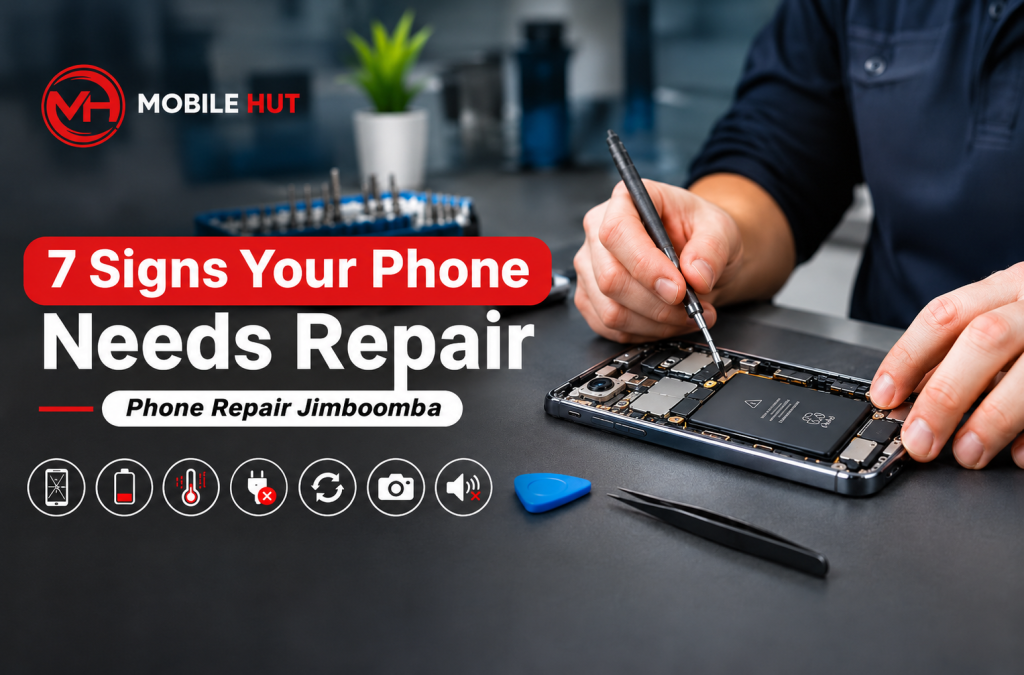
Smartphones have become an essential part of everyday life. From staying connected with family and friends to managing work, attending online meetings, taking photographs, making payments and browsing the internet, we depend on our phones for almost everything. Because smartphones are used so frequently, it is natural for them to experience wear and tear over time. However, many people ignore the early warning signs of phone damage until their devices suddenly stop working.
A phone that takes longer to charge, overheats regularly, freezes unexpectedly or develops unusual screen problems may be telling you that something is wrong. While some minor issues can be resolved through basic troubleshooting, others require professional attention. Ignoring these problems can sometimes lead to more expensive repairs or even permanent damage.
If you are experiencing smartphone problems, knowing when to seek professional Phone Repair Jimboomba services can help you protect your device and avoid unnecessary inconvenience. Early repairs can also help extend your smartphone’s lifespan and keep it performing reliably.
At The Mobile Hut, smartphone users in Jimboomba and the surrounding Logan area can explore professional mobile phone repair services for common device problems. Whether you are dealing with a damaged screen, battery issues, charging difficulties or other smartphone faults, understanding the warning signs is the first step towards finding the right solution.
Let’s explore seven common signs that indicate your smartphone may need professional repair.
1. Your Phone Screen Is Cracked, Flickering or Unresponsive
One of the most noticeable signs that your smartphone needs repair is visible screen damage. A phone can accidentally fall from your hand, slip out of your pocket or suffer damage after being placed under heavy objects. Even a small crack can gradually become a bigger problem if the damage is ignored.
A cracked screen does not always mean your phone will stop working immediately. Sometimes, the display continues functioning normally despite visible damage. However, cracks can affect the touchscreen, expose internal components and make the device more vulnerable to dust and moisture.
You may also notice other display-related problems, such as flickering images, coloured lines, dark patches, screen discolouration or areas where touch commands no longer respond.
These symptoms may indicate damage to the display assembly or other internal components. Attempting to press damaged screen areas or using excessive force can make the problem worse.
Why Professional Screen Repair Matters
Professional technicians can inspect the display and determine whether the problem involves the glass, touchscreen or complete display assembly. The correct repair depends on the smartphone model and the extent of the damage.
If your screen is cracked or difficult to use, professional Phone Screen Repair Jimboomba services can help restore normal touchscreen functionality and improve your overall experience.
It is also important to avoid delaying repairs when sharp glass edges are exposed. A damaged display can make everyday activities uncomfortable and potentially unsafe.
2. Your Phone Battery Drains Faster Than Usual
Does your smartphone lose battery power even when you are barely using it? Do you find yourself charging your device several times throughout the day? These could be signs that your battery is no longer performing as expected.
Smartphone batteries naturally lose capacity over time. Every charging cycle contributes to gradual battery wear, which means an older battery may not hold as much power as it did when the phone was new.
However, unusually fast battery drainage should not always be considered normal ageing. It may also be related to background applications, software problems, poor network reception or battery-related hardware faults.
Some common signs of battery problems include your phone losing a large percentage of charge within a short period, unexpected shutdowns, slow charging and battery percentage changes that seem inconsistent.
When Should You Consider Battery Replacement?
If your phone struggles to last through a normal day despite moderate usage, it may be time to have the battery checked.
A professional technician can assess the battery’s condition and identify whether replacement is necessary. Reliable Phone Battery Replacement Jimboomba services can help restore battery performance when an ageing or faulty battery is responsible for the problem.
Never ignore a swollen battery. If the phone’s screen or back cover starts lifting, stop using and charging the device. Do not press, puncture or attempt to remove the battery yourself. Arrange a professional assessment as soon as possible.
A healthy battery makes a significant difference to smartphone convenience, particularly for people who depend on their devices throughout the working day.
3. Your Phone Frequently Overheats
It is normal for smartphones to become slightly warm during demanding activities. Playing graphics-intensive games, recording videos, using navigation applications or charging the device can increase its temperature.
However, frequent or excessive overheating is something you should never ignore.
If your phone becomes unusually hot while performing simple tasks, there may be an underlying problem. Faulty batteries, damaged charging components, software issues and excessive background activity can all contribute to overheating.
You might notice that your phone becomes hot around the charging port, battery area or back panel. Some devices may also display temperature warnings, reduce screen brightness or automatically close applications to protect their internal components.
What Causes Smartphone Overheating?
There are several possible reasons behind excessive smartphone heating. A damaged battery may generate unusual heat, while a faulty charging connection can interfere with normal power delivery. In some cases, outdated software or applications running continuously in the background may also increase processor activity.
Start by closing unnecessary applications, removing the phone case temporarily and keeping the device away from direct sunlight. If the problem continues, professional inspection is recommended.
A technician providing Mobile Phone Repairs Jimboomba can investigate the possible causes and determine whether your smartphone needs battery, charging component or other hardware repairs.
If the phone becomes extremely hot, swells, produces smoke or gives off an unusual smell, stop using it and keep it away from combustible materials. Do not continue charging it.
4. Your Phone Is Not Charging Properly
A smartphone that refuses to charge properly can quickly become frustrating. You may connect your charger and notice that the battery percentage does not increase, the charging connection keeps disconnecting or the phone only charges when the cable is held at a particular angle.
These problems can indicate an issue with the charging cable, power adapter, charging port or internal charging components.
The charging port is particularly vulnerable to everyday wear and tear. Dust, lint and small particles can accumulate inside the port, preventing the charging cable from connecting properly. Repeatedly inserting and removing charging cables can also damage the port over time.
Common Signs of Charging Port Problems
You might need professional attention if your phone displays a charging symbol but the battery percentage remains unchanged, charges unusually slowly, disconnects frequently or fails to recognise different charging cables.
Before arranging a repair, try using a compatible charging cable and adapter that you know are working. You can also restart your phone to rule out temporary software problems.
Avoid inserting sharp objects, pins or metal tools into the charging port because they can damage delicate internal connectors.
If the problem continues, a technician can inspect the charging port and identify whether cleaning, component repair or replacement is required.
Professional Mobile Phone Repairs Jimboomba can help address charging-related problems and restore reliable charging performance. Getting the issue checked early may also prevent additional damage caused by faulty charging connections.
5. Your Phone Keeps Freezing, Crashing or Restarting
Does your smartphone suddenly freeze while opening applications? Does it restart without warning or become unresponsive when you try to perform simple tasks?
These problems can make even basic smartphone activities difficult. Although occasional software glitches are common, frequent freezing and unexpected restarts should not be ignored.
Smartphones can experience performance problems for several reasons. Insufficient storage space, outdated operating systems, incompatible applications, software corruption and failing internal components may all contribute to these symptoms.
Sometimes, a phone that appears to have a software problem may actually have an underlying hardware fault.
What Can Cause Frequent Freezing?
One common reason is insufficient storage. When your phone has very little available space, it may struggle to manage applications, temporary files and system processes.
Another possible cause is an application that contains errors or consumes excessive system resources. Updating applications and removing unnecessary software may improve performance.
However, if your phone continues restarting, freezes during startup or becomes completely unresponsive, professional diagnosis is recommended.
When to Seek Professional Help
A professional technician can assess whether the problem is related to software, storage, battery performance or internal hardware.
If your device contains important photographs, contacts, documents or business information, consider backing up your data before attempting major troubleshooting. Avoid factory resetting your phone without understanding the consequences because this can erase personal information.
Reliable Smartphone Repair Jimboomba services can help identify the underlying issue rather than relying on temporary fixes that may not solve the problem.
6. Your Phone Camera Is Producing Blurry or Unusual Images
Smartphone cameras are used for much more than taking holiday photographs. People rely on them for video calls, work documents, product photography, social media content and capturing important memories.
When your camera suddenly stops working properly, it can affect your everyday activities.
A camera problem may appear in several ways. Your photographs might become blurry, the camera application may freeze, the screen may remain black or the device may struggle to focus on nearby objects.
Sometimes, the problem is relatively simple. Fingerprints, dust or scratches on the camera lens can reduce image quality. Software glitches may also interfere with camera performance.
However, persistent problems can indicate damage to the camera module or its internal connection.
Warning Signs of Camera Hardware Damage
If your photographs consistently contain unusual spots, the camera cannot focus, the image shakes unexpectedly or the camera application crashes repeatedly, your device may need professional inspection.
Physical impacts can damage delicate camera components even when the exterior of the smartphone appears undamaged.
Water or moisture exposure can also affect camera performance. Condensation inside the camera lens is a possible warning sign that moisture has entered the device.
Professional technicians can inspect the camera, identify the faulty component and recommend an appropriate repair.
If you rely on your smartphone camera for personal or professional purposes, addressing the problem early can help you avoid losing access to an important everyday feature.
7. Your Phone Speaker, Microphone or Buttons Are Not Working Properly
Another warning sign that your smartphone may need professional attention is when its essential hardware features stop functioning correctly.
You might struggle to hear people during phone calls, experience distorted sound when playing videos or discover that other people cannot hear your voice clearly.
Physical buttons can also develop problems over time. The power button might become difficult to press, the volume buttons may stop responding or the device may fail to recognise certain button commands.
These issues can occur because of accumulated dust, moisture exposure, accidental drops, worn components or internal connection problems.
Problems You Should Not Ignore
If people repeatedly complain that your voice sounds unclear during calls, your microphone may need inspection. Similarly, distorted or unusually quiet audio may indicate a speaker-related problem.
A phone button that works only occasionally can also become a bigger inconvenience. For example, a faulty power button may make it difficult to lock your screen, restart your phone or access certain functions.
Although cleaning the exterior of your phone and restarting the device may resolve some minor issues, persistent hardware problems usually require professional assessment.
Choosing an experienced repair provider can help identify the affected component and determine the most suitable solution.
Why You Should Never Ignore Early Smartphone Warning Signs
Many smartphone users continue using damaged devices because the problems seem manageable at first. A small screen crack might not affect daily usage, a weak battery might only require an extra charge and an unreliable charging port might still work when the cable is positioned correctly.
However, temporary convenience does not always mean the device is healthy.
Ignoring early warning signs can sometimes cause problems to become more complicated. For example, a damaged display may become completely unusable after another accidental impact. A faulty charging connection may eventually prevent the phone from charging altogether.
Battery problems can also affect device reliability, while unresolved moisture damage may gradually affect internal components.
Seeking professional assistance at the right time can help you understand the actual condition of your smartphone and avoid unnecessary troubleshooting.
If you notice repeated problems, consider arranging a professional assessment instead of waiting for your phone to stop working completely.
What Happens During a Professional Phone Repair?
If you have never used a professional repair service, you might wonder what happens after handing over your smartphone.
A reliable repair process should involve identifying the problem, explaining the available solutions and completing the necessary work with care.
At The Mobile Hut, the repair process is designed to make getting your smartphone checked straightforward.
Step 1: Contact the Repair Team
The first step is to explain the problem you are experiencing. Whether your phone has a cracked screen, battery drainage, charging difficulties or camera issues, providing clear information helps the technician understand your concerns.
You can contact the team or visit the store to discuss your repair requirements.
Step 2: Device Assessment
The technician assesses your smartphone to identify the source of the problem.
This step is important because similar symptoms can sometimes have different causes. For example, a phone that does not charge may have a damaged cable, a faulty charging port or an internal power-related issue.
A proper assessment helps determine the appropriate repair.
Step 3: Repair and Component Replacement
Once the problem has been identified and the repair quote has been discussed, the required repair can be carried out with your approval.
Depending on the issue, this may involve screen replacement, battery replacement, camera replacement or charging port replacement.
The Mobile Hut provides repair solutions for common smartphone and tablet problems, helping customers address different device-related concerns.
Step 4: Testing and Collection
After the repair, the device should be checked to confirm that the affected functions are working as expected.
Depending on the repair, testing may include checking touchscreen responsiveness, charging performance, camera operation and other relevant features.
You can then collect your device and return to your everyday activities.
Why Choose The Mobile Hut for Phone Repair Jimboomba?
When your smartphone develops a problem, choosing the right repair provider is just as important as identifying the issue. You want a team that understands different smartphone models, can identify faults accurately and provides suitable repair solutions.
The Mobile Hut is a locally owned and operated mobile repair business serving Jimboomba and surrounding communities. The business focuses on providing reliable mobile phone and tablet repair services with an emphasis on customer satisfaction.
Experienced Repair Technicians
Smartphones contain delicate internal components that require careful handling. Experienced technicians understand how different components work and can investigate common smartphone problems to recommend suitable repair solutions.
Screen and Battery Replacement Services
A damaged screen or ageing battery can make your smartphone difficult to use. The Mobile Hut offers screen replacement and battery replacement services to help restore everyday device functionality.
Charging Port and Camera Repairs
Charging difficulties and camera problems can affect how you use your phone. Having access to professional component replacement services makes it easier to address these common hardware concerns.
Locally Owned Business
Choosing a local repair business offers the convenience of discussing your device problems directly with a repair team. The Mobile Hut proudly serves the Jimboomba community and nearby areas.
Repairs for Different Devices
The Mobile Hut provides repair services for smartphones and tablets, making it a convenient option for people who need assistance with different mobile devices.
How to Protect Your Smartphone and Avoid Future Repairs
Although some smartphone problems are unavoidable, following a few simple maintenance habits can reduce the risk of accidental damage and help keep your device in good condition.
One of the easiest ways to protect your phone is to use a suitable protective case and screen protector. These accessories can help reduce the impact of accidental drops and protect the display from everyday scratches.
You should also avoid exposing your smartphone to excessive heat. Leaving your device inside a hot car or under direct sunlight for extended periods can affect battery performance and other internal components.
Another important habit is keeping your charging port clean. Dust and lint can accumulate inside the port, potentially affecting the charging connection. Avoid using sharp objects to remove debris.
Keeping your smartphone software updated is equally important. Software updates can improve security, fix known bugs and help applications operate correctly.
Try not to let your phone battery reach extremely low levels regularly. Use compatible charging accessories and avoid using damaged cables or adapters.
Backing up important information is another essential precaution. Save your photographs, contacts, videos and documents using a suitable cloud service or another secure storage option. This can help protect valuable information if your smartphone becomes damaged or needs replacement.
Finally, do not ignore unusual changes in your phone’s performance. Getting minor issues checked early may prevent them from developing into more complicated problems.
When Is It Better to Repair Your Phone Instead of Replacing It?
Many people automatically consider purchasing a new smartphone when their existing device starts experiencing problems. However, replacing a phone is not always necessary.
If your smartphone still meets your everyday requirements, repairing the faulty component may be a more practical option.
For example, a phone with a cracked display might continue working perfectly once the screen has been replaced. Similarly, a device that struggles to hold its charge may become much more convenient after installing a suitable replacement battery.
Before deciding to purchase a new smartphone, consider the age of your existing device, its overall condition, the cost of repair and the availability of replacement components.
If the repair cost is reasonable compared with purchasing another device, repairing your current smartphone may help you save money.
On the other hand, if your device has extensive internal damage, repeated hardware failures or outdated software that no longer meets your requirements, replacing it might be a better long-term decision.
A professional assessment can help you understand your options and make an informed decision.
Frequently Asked Questions About Phone Repair Jimboomba
How Do I Know If My Phone Needs Professional Repair?
Common warning signs include a cracked screen, fast battery drainage, overheating, charging problems, camera faults, unexpected shutdowns and unresponsive buttons. If these problems continue despite basic troubleshooting, professional inspection is recommended.
How Long Does a Phone Screen Replacement Take?
Repair times depend on the smartphone model, the availability of suitable replacement components and the extent of the damage. The Mobile Hut states that many screen replacements can be completed in approximately 30 minutes, although individual repairs may take longer.
Is It Worth Replacing an Old Phone Battery?
Yes, replacing an ageing battery can be worthwhile if the rest of your smartphone is functioning properly. A suitable replacement battery can improve everyday usability and reduce the need for frequent charging.
Can a Phone Be Repaired If It Is Not Charging?
In many cases, yes. Charging problems may be caused by a damaged cable, faulty adapter, blocked charging port or damaged internal charging components. A technician can inspect the device and recommend the appropriate solution.
Does The Mobile Hut Repair Different Smartphone Models?
The Mobile Hut provides mobile phone repair services covering common device problems, including screen, battery, camera and charging port issues. Contact the team to confirm repair availability for your particular smartphone model.
Should I Back Up My Phone Before Getting It Repaired?
Yes, backing up your important information is recommended before arranging a repair. Although many repairs do not require data deletion, having a backup helps protect your photographs, contacts, documents and other valuable information.
Where Can I Find Professional Phone Repair in Jimboomba?
You can visit The Mobile Hut at Jimboomba Junction Shopping Centre for information about its smartphone and tablet repair services. You can also visit its official website to explore available repair options and arrange assistance.
Final Thoughts: Don’t Wait Until Your Smartphone Stops Working
Your smartphone often provides warning signs before a serious problem develops. A cracked screen, rapidly draining battery, overheating, charging difficulties, camera faults and unexpected restarts are all signs that something may be wrong with your device.
Ignoring these problems can make everyday smartphone usage increasingly frustrating and may lead to more complicated repairs.
The best approach is to pay attention to changes in your device’s performance and seek professional assistance when necessary. Early diagnosis can help you understand the problem, explore suitable repair options and potentially extend the useful life of your smartphone.
If you are experiencing any of these issues, The Mobile Hut is a local option for professional Phone Repair Jimboomba services. From screen and battery replacements to camera and charging port repairs, its repair team can help you explore solutions for your device.
Whether you need Mobile Phone Repairs Jimboomba, professional Smartphone Repair Jimboomba, reliable Phone Screen Repair Jimboomba or a suitable Phone Battery Replacement Jimboomba, getting your phone checked by experienced technicians is a sensible step towards restoring its performance.
