
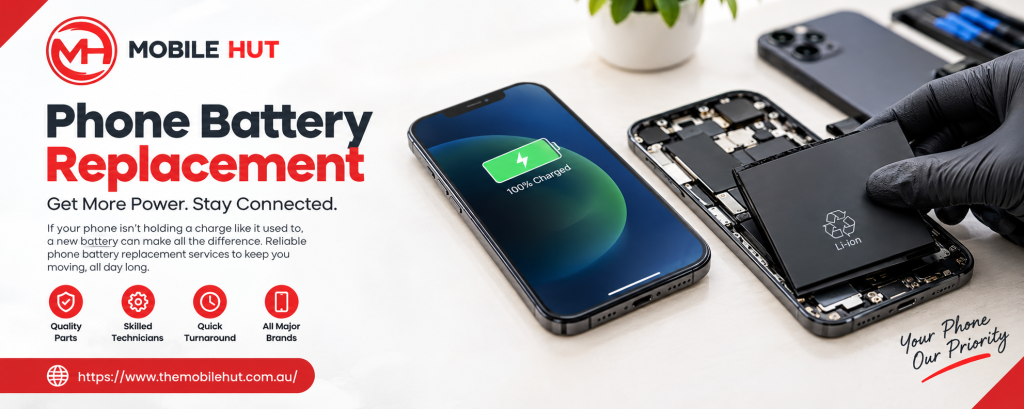
A smartphone has become an essential part of everyday life. From making calls and sending messages to managing work, browsing the internet, taking photographs, and using navigation apps, we rely on our phones for countless tasks. However, even a well-maintained smartphone can develop battery problems over time. If your device no longer holds its charge, switches off unexpectedly, or needs to be plugged in several times a day, it may be time to consider phone battery replacement.
A phone battery naturally loses capacity as it ages. This means a device that once lasted an entire day on a single charge may eventually struggle to remain powered for even a few hours. Although changing certain settings can sometimes improve battery life, persistent problems may indicate that the battery itself needs attention.
This guide explains the common symptoms of battery deterioration, why batteries lose their performance, how replacement works, and what you can do to help your new battery last longer.
What Is Phone Battery Replacement?
Phone battery replacement is the process of removing an old, worn, or damaged smartphone battery and installing a compatible replacement. It is intended to restore dependable power performance when the original battery can no longer operate as expected.
Most modern smartphones use rechargeable lithium-ion or lithium-polymer batteries. These batteries are designed to provide a practical balance between energy capacity, weight, and size. However, rechargeable batteries have a limited lifespan. Every charging cycle and period of use contributes to gradual chemical ageing.
As the battery deteriorates, it may store less energy than it did when the phone was new. You might notice that the battery percentage falls quickly, the device becomes unreliable during demanding tasks, or the phone requires more frequent charging.
A professional mobile phone battery replacement involves more than simply fitting another battery. The technician must identify the correct battery for the particular phone model, follow an appropriate disassembly procedure, inspect relevant components, and check that the device operates correctly after the repair.
Because smartphones vary in construction, the process differs between manufacturers and models. Some devices are easier to open than others, while certain phones require specialised tools and careful handling to avoid damaging internal components.
Common Signs You Need Phone Battery Replacement
Recognising battery problems early can help prevent unnecessary inconvenience and allow you to explore appropriate repair options before the phone becomes difficult to use.
Your Phone Battery Drains Too Quickly
One of the most common signs of battery deterioration is unusually fast power consumption. You may charge your phone to 100% in the morning and find that the battery is nearly empty before the day ends, even when your usage has not changed significantly.
Several factors can cause rapid battery drain, including background applications, weak mobile signals, high screen brightness, software problems, and an ageing battery. Checking your phone’s battery usage settings can help identify whether a particular application is consuming excessive power.
If battery drain continues after you address common software and usage issues, the battery may have lost a significant amount of its original capacity. In that situation, professional assessment can help determine whether replacement is appropriate.
Your Phone Shuts Down Unexpectedly
Unexpected shutdowns can be particularly frustrating when you are making an important call, navigating to a destination, or completing a work task.
An ageing battery may struggle to supply sufficient power during periods of high demand. Consequently, the phone may switch off even when the battery indicator suggests that some charge remains.
However, sudden shutdowns are not always caused by the battery. Software faults, charging circuitry problems, and other hardware issues can produce similar symptoms. A proper diagnosis helps establish the likely cause before any repair is undertaken.
Your Phone Takes Too Long to Charge
If your smartphone takes considerably longer to charge than it used to, the battery could be contributing to the problem. Nevertheless, slow charging can also result from a damaged charging cable, an unsuitable power adapter, debris in the charging port, overheating, or a charging circuit fault.
Try a compatible charger and cable, check for visible damage, and ensure that the phone is not excessively hot. Avoid inserting metal objects into the charging port or attempting to remove a battery yourself.
If the problem persists, a technician can assess the charging system and battery to determine whether a replacement or another repair is needed.
The Battery Percentage Changes Suddenly
A phone that drops from 40% to 15% within a short period, or switches off while showing a reasonable charge level, may have an ageing battery or an inaccurate battery reading.
Battery indicators are estimates rather than perfect measurements. As a battery ages, the phone may find it more difficult to estimate the remaining usable energy accurately.
Although a software issue can sometimes explain unusual percentage changes, repeated incidents may justify a professional battery assessment.
Your Phone Becomes Unusually Hot
Smartphones naturally generate some heat while charging, gaming, recording videos, or running demanding applications. However, excessive or unusual heat can indicate a problem that should not be ignored.
A deteriorating battery is one possible cause, but a faulty charger, damaged cable, intensive background activity, or another hardware issue may also contribute.
If the phone becomes unusually hot, disconnect it from the charger when safe to do so, stop using it, and allow it to cool away from direct sunlight. If the battery appears swollen, the screen or back cover is lifting, or the device shows other signs of battery damage, stop using and charging it. Do not press, puncture, or attempt to remove the battery yourself. Arrange professional assistance.
Why Do Smartphone Batteries Lose Their Performance?
Understanding battery ageing helps explain why even a carefully maintained smartphone may eventually require a new battery.
Natural Battery Ageing
Rechargeable batteries gradually lose their ability to store and deliver energy. This process occurs through normal use and continues as the battery ages.
Over time, the phone may provide fewer hours of use between charges. The exact rate of deterioration depends on the device, battery design, charging habits, temperature exposure, and usage patterns.
Battery ageing is normal and does not necessarily mean that the entire smartphone needs replacing.
Frequent Charging and Heavy Usage
Charging your phone regularly is not inherently harmful. Modern smartphones are designed to handle repeated charging. However, heavy usage can increase the number of charging cycles and the amount of heat generated by the device.
Activities such as extended gaming, video recording, hotspot use, and navigation can consume substantial energy. If these activities regularly cause the phone to heat up, battery ageing may accelerate.
The goal is not to avoid charging your phone when necessary. Instead, use suitable charging equipment, minimise excessive heat, and follow the manufacturer’s battery-care recommendations.
Exposure to High Temperatures
Heat is an important factor in rechargeable battery deterioration. Leaving a phone in direct sunlight, inside a hot vehicle, or near a strong heat source can negatively affect its battery.
High temperatures can also trigger charging restrictions or temporary performance changes designed to protect the device.
Keep your smartphone in a reasonably cool environment and remove it from direct sunlight whenever possible. If the device repeatedly overheats during ordinary use, investigate the cause rather than assuming the battery is the only problem.
Physical Damage and Battery Problems
A dropped phone can suffer internal damage even when the screen remains intact. Strong impacts, bending, liquid exposure, and previous improper repairs can affect the battery or associated components.
A damaged battery may become unsafe, especially if it is punctured, crushed, or swollen. Do not continue using a device with visible battery swelling or signs of serious physical damage.
Professional inspection can help establish whether the battery, charging system, or another component needs attention.
Benefits of Professional Mobile Phone Battery Replacement
When a phone has become unreliable because of battery deterioration, replacing the battery may be a practical alternative to purchasing an entirely new device.
Restore More Reliable Battery Life
A compatible replacement battery can restore much of the everyday convenience lost through battery ageing. Depending on the phone and the quality of the replacement component, you may experience longer usage between charges and fewer interruptions.
The result depends on the condition of the device, the replacement battery, and whether other problems are present.
Extend the Useful Life of Your Smartphone
If your phone still performs well and receives the software updates you need, a battery replacement may help you continue using it for longer.
You may already be comfortable with its camera, screen, applications, storage, and overall performance. Replacing a worn battery can address one specific problem without requiring you to learn a new device or transfer everything to another phone.
However, consider the age of the device, its software support, repair cost, and the condition of its other components before making a decision.
Reduce Unnecessary Electronic Waste
Repairing a suitable smartphone can reduce the need to replace the entire device. Keeping electronics in use for longer can help limit electronic waste and reduce demand for new devices.
Battery replacement is not the right choice in every situation, but it is worth considering when the phone remains functional and the repair is economically sensible.
Improve Everyday Convenience
A dependable battery makes everyday tasks easier. You can use messaging, calls, online banking, maps, photography, and other applications with less concern about unexpected power loss.
Although a new battery cannot correct every performance issue, it can make a noticeable difference when the old battery is the main cause of poor endurance.
What Happens During a Phone Battery Replacement?
The exact repair procedure depends on the smartphone model, its construction, and the nature of the problem. Understanding the general process can help you know what to expect.
Initial Inspection and Diagnosis
The first step is to identify the phone model and discuss the symptoms you have experienced. The technician may examine battery performance, charging behaviour, visible damage, and other relevant signs.
This assessment is important because rapid battery drain and charging problems can have several causes. Replacing the battery without checking the device may not solve the actual issue.
Selecting a Compatible Replacement Battery
The replacement battery must be suitable for the exact phone model. Batteries that appear similar are not necessarily interchangeable, and an unsuitable component may create performance, compatibility, or safety problems.
A reliable repair process should consider battery specifications, component quality, and the manufacturer’s repair requirements where applicable.
Ask about the replacement part, the repair process, and any warranty terms before authorising the work.
Removing the Old Battery Safely
Modern smartphones may use adhesive to secure the battery inside the device. Removing it can require specialised tools and careful handling.
Incorrect removal can damage the battery, display, internal cables, or surrounding components. Lithium-based batteries should never be bent, punctured, crushed, or exposed to excessive heat during removal.
For these reasons, attempting a difficult battery replacement without the right tools and experience is not recommended.
Installing and Testing the New Battery
After the old battery has been removed, the compatible replacement is installed according to the phone’s repair requirements.
The technician may then check charging behaviour, power stability, basic phone functions, and whether the device operates normally. Depending on the model and repair procedure, additional checks may be appropriate.
Before leaving your phone for repair, ask about data protection, expected turnaround time, and whether any post-repair checks will be carried out.
How Much Does Phone Battery Replacement Cost?
The cost of phone battery replacement varies depending on several factors, so there is no single price that applies to every smartphone.
The phone’s make and model are important because battery availability, internal construction, and repair complexity differ between devices. The price of the replacement component, labour requirements, and any additional damage discovered during inspection can also affect the total cost.
For example, a phone with an easily accessible battery may require a different repair procedure from a model with extensive adhesive or a more complicated internal design.
Before proceeding, request a clear quotation that explains the expected repair cost and identifies any additional charges that could apply. Ask whether the quoted price includes the replacement battery, labour, testing, and applicable warranty coverage.
It is also worth comparing the repair cost with the price of replacing the phone. If the device is otherwise in good condition, a new battery may offer good value. If the phone has several hardware faults or no longer meets your needs, upgrading may be more sensible.
For customers exploring repair options through The Mobile Hut, visit https://www.themobilehut.com.au/ to review the available information and make an enquiry about the service relevant to your device.
Phone Battery Replacement vs Buying a New Phone
Deciding whether to repair or replace your smartphone depends on more than its battery life.
If the phone has a good display, adequate storage, reliable connectivity, and the software support you require, battery replacement may be a sensible way to extend its useful life. It can also avoid the inconvenience of transferring applications, photographs, contacts, and other information to a different device.
On the other hand, buying a new phone may be worth considering if your existing device has multiple serious faults, limited software support, insufficient performance, or a repair cost that is disproportionate to its remaining value.
Consider your budget, how you use your phone, the condition of its other components, and how long you expect to keep it. A professional diagnosis can help you make a more informed decision.
How to Make Your New Phone Battery Last Longer
After mobile phone battery replacement, good everyday habits can help maintain battery performance. Although no battery lasts forever, sensible care may reduce unnecessary stress on the replacement battery.
Avoid Excessive Heat
Keep your phone away from direct sunlight and very hot environments. Avoid leaving it in a parked vehicle during hot weather, and give it time to cool if it becomes unusually warm.
If heat occurs frequently during normal use, investigate possible software, charger, or hardware problems.
Use Suitable Charging Accessories
Choose a compatible charger and cable from a reputable manufacturer. Damaged, poorly made, or unsuitable charging accessories can cause unreliable charging and may introduce safety risks.
Inspect charging cables for exposed wires, bent connectors, or other damage, and replace damaged accessories promptly.
Use Optimised Charging Features
Many modern smartphones offer optimised charging, adaptive charging, or battery-protection settings. These features may help reduce the time the battery spends at a high charge level, depending on the device.
Check your phone’s settings and manufacturer’s guidance to see which features are available. Follow the recommendations for your particular model rather than relying on a universal charging rule.
Monitor Battery-Heavy Applications
Social media, gaming, video streaming, navigation, and background applications can consume significant power.
Review the battery usage section in your phone’s settings to identify applications that use unusually high amounts of energy. Update applications, restrict unnecessary background activity, and adjust screen brightness when appropriate.
These steps may improve battery life, although they cannot restore capacity that has already been lost through chemical ageing.
Keep Your Phone Software Updated
Software updates can include bug fixes, security improvements, and changes to power management. Keeping your device updated may help address software-related battery drain.
However, if a battery suddenly deteriorates after an update, check application activity and allow time for background tasks to finish before concluding that the battery needs replacing.
Frequently Asked Questions About Phone Battery Replacement
How Do I Know If My Phone Needs a New Battery?
Rapid battery drain, unexpected shutdowns, reduced time between charges, and inconsistent battery readings may indicate battery deterioration. Excessive heat or swelling can indicate a more serious problem that requires prompt attention. A technician can assess whether replacement is appropriate.
How Long Does Mobile Phone Battery Replacement Take?
Repair time depends on the phone model, the battery’s availability, the complexity of the repair, and whether additional faults are discovered. Ask the repair provider for an estimated turnaround time before booking or handing over your device.
Will Replacing My Phone Battery Delete My Data?
A battery replacement does not normally require deleting the data stored on your phone, but no repair process is entirely risk-free. Back up important photographs, contacts, documents, and other information before arranging a repair. Ask the technician whether any reset or additional procedure may be necessary.
Is It Worth Replacing an Old Phone Battery?
It can be worthwhile if the phone is otherwise in good condition, meets your needs, and remains compatible with the applications and software you use. Compare the repair quotation with the cost of a new device before deciding.
Can I Replace My Phone Battery Myself?
Some older devices have user-replaceable batteries, but many modern smartphones require specialised tools and careful disassembly. If the battery is built into the phone, professional repair is generally the safer choice unless you have the appropriate training and equipment.
Should I Continue Charging a Swollen Phone Battery?
No. If you suspect that the battery is swollen, stop using and charging the phone. Do not press the battery, attempt to flatten it, or open the device yourself. Keep it away from heat and combustible materials where this can be done safely, and seek professional guidance on safe handling.
Choose the Right Solution for Your Phone Battery Problems
A worn battery can affect nearly every part of the smartphone experience, from making calls and checking messages to using applications and completing everyday tasks. Fortunately, battery deterioration does not automatically mean that you need a new phone.
By recognising the warning signs, understanding the possible causes, and arranging an appropriate assessment, you can determine whether phone battery replacement is the right solution for your device. A suitable replacement may restore more dependable battery life, improve convenience, and help extend the useful life of a phone that is otherwise working well.
Taking action early can help you understand the problem, compare your repair options, and make a practical decision about your smartphone. With an appropriate repair and sensible battery-care habits, you can get more value from your device while keeping it ready for the tasks that matter most.
