
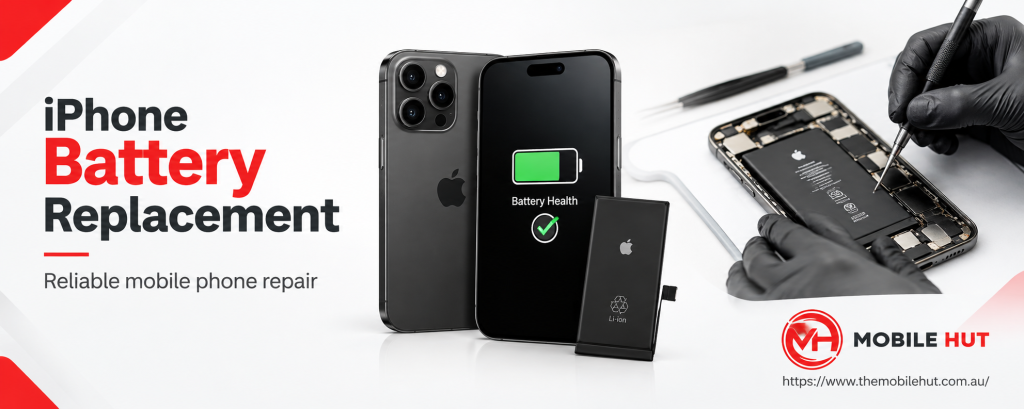
An iPhone is an essential part of everyday life. From staying connected with family and friends to managing work, taking photos, navigating unfamiliar places, and using important apps, most people depend on their smartphones throughout the day. However, even a well-maintained iPhone can develop battery problems over time. You may notice that your phone loses charge quickly, switches off unexpectedly, takes longer to charge, or struggles to last through a normal day. These issues can make using your device frustrating and inconvenient.
In many cases, an iPhone battery replacement can help restore reliable everyday performance without requiring you to purchase a completely new phone. Smartphone batteries naturally deteriorate with repeated charging cycles and age, so a reduction in battery life is not unusual. Understanding the warning signs, possible causes, and available repair options can help you make an informed decision about your device.
For people looking for assistance with smartphone problems, Mobile Hut Jimboomba is a relevant local option to consider for iPhone battery concerns and other common mobile phone repair needs. Before arranging a repair, it is helpful to understand how batteries work, when replacement may be necessary, and how to care for your phone after the repair.
What Is an iPhone Battery Replacement?
An iPhone battery replacement involves removing an ageing, damaged, or faulty battery and installing a suitable replacement. The aim is to address battery-related problems that affect the phone’s ability to hold a charge, operate reliably, and remain powered throughout the day.
Like other rechargeable lithium-ion batteries, iPhone batteries gradually lose capacity as they age. Every charging cycle contributes to normal chemical wear, although temperature, charging habits, and general usage can influence how quickly this happens.
When a battery’s capacity has declined significantly, charging your phone more frequently may no longer be enough to solve the problem. Replacing the battery can be a practical alternative to replacing the entire device, particularly when the screen, cameras, buttons, and other components are still working properly.
However, battery problems do not always mean that the battery itself needs replacing. A faulty charging cable, damaged charging port, software issue, or other internal fault can produce similar symptoms. Proper diagnosis is therefore an important first step before deciding on a repair.
Common Signs You May Need an iPhone Battery Replacement
Recognising the early signs of battery deterioration can help you avoid unexpected shutdowns and interruptions.
Your iPhone Battery Drains Quickly
One of the most common warning signs is unusually rapid battery drain. You might charge your iPhone to 100% in the morning but find that it has very little power remaining by lunchtime, even when your usage has not changed significantly.
Battery drain can occur because of natural battery ageing, but background applications, weak mobile signals, high screen brightness, location services, and software updates can also increase power consumption.
Check your iPhone’s battery settings to identify applications using unusually large amounts of energy. If the problem continues after you have addressed unnecessary power consumption, the battery may need professional assessment.
Your Phone Shuts Down Unexpectedly
An iPhone that switches off while displaying a remaining charge may have difficulty delivering sufficient power. This can happen when an ageing battery cannot consistently provide the power required by the device.
Unexpected shutdowns can interfere with calls, messages, navigation, and other important activities. Although cold temperatures and software problems can also contribute, repeated shutdowns should not be ignored.
A battery health check and device assessment can help determine whether replacement is appropriate.
Your Battery Health Has Declined
Apple provides a battery health feature on supported iPhone models. Depending on your model and iOS version, you can usually find it under Settings and then Battery, followed by Battery Health or Battery Health & Charging.
The displayed maximum capacity estimates the battery’s capacity relative to when it was new. As this figure declines, your iPhone may need charging more frequently.
A maximum capacity approaching or falling below 80% is often a useful reason to consider a battery assessment, especially if you also experience poor battery life or performance issues. However, the percentage alone does not determine whether replacement is necessary. Follow any service recommendations shown by your device and consider the symptoms you are experiencing.
Your iPhone Becomes Slower
Battery ageing can sometimes affect performance. When a battery cannot reliably supply the power a device requires, iOS may manage performance to reduce the risk of unexpected shutdowns.
This does not mean every slow iPhone needs a new battery. Limited storage, outdated software, resource-intensive applications, and other hardware faults can also cause sluggish performance.
Checking battery health alongside storage, software, and overall device condition can help identify the underlying issue.
Your Phone Struggles to Hold a Charge
If your iPhone loses power unusually quickly while idle or drops several percentage points in a short period, its battery may have deteriorated.
Before arranging a repair, check whether the device is running a recent update, whether any application is consuming excessive power, and whether the phone is exposed to extreme temperatures. Persistent problems may indicate that the battery requires replacement or further investigation.
Your iPhone Gets Unusually Hot
Some warmth during charging, gaming, video recording, or other demanding tasks is normal. However, excessive or persistent heat may indicate a problem.
Heat can result from intensive applications, environmental conditions, charging equipment, battery damage, or another internal fault. If the phone becomes unusually hot, stop demanding activities and allow it to cool in a safe place.
If the battery appears swollen, the screen is lifting, or the device shows signs of physical battery damage, stop using and charging it. Do not press the screen back into place or attempt to remove the battery yourself. Arrange professional assistance.
Why Do iPhone Batteries Deteriorate?
Understanding the causes of battery wear can help you manage expectations and protect your replacement battery.
Repeated Charging Cycles
Rechargeable batteries gradually lose capacity through normal use. A charging cycle represents the use of an amount of battery power equivalent to 100% of its capacity, even if that power is consumed over several partial discharges.
For example, using 60% of the battery one day and 40% the next adds up to approximately one full cycle. The battery’s capacity gradually decreases as charging cycles accumulate.
Exposure to High Temperatures
Heat is one of the important factors that can accelerate battery ageing. Leaving an iPhone in a hot vehicle, placing it in direct sunlight for extended periods, or using demanding applications while charging in a hot environment can increase battery temperature.
Keeping your phone within Apple’s recommended operating temperature range and avoiding unnecessary heat can help preserve battery health.
Heavy Daily Usage
Activities such as gaming, video streaming, video calls, GPS navigation, and recording high-resolution videos can consume substantial power. Frequent heavy usage may mean that you need to recharge more often.
Although these activities do not automatically indicate battery damage, they can make an ageing battery’s reduced capacity more noticeable.
Age and Storage Conditions
Batteries deteriorate over time, even when a device is not used heavily. Leaving an iPhone unused for extended periods with an extremely low or completely depleted battery can also create problems.
If you plan to store a device for a long time, follow Apple’s recommended battery storage guidance rather than leaving it discharged indefinitely.
Charging Accessories and Port Problems
A damaged cable, unsuitable power adapter, dirty charging connection, or faulty charging port can prevent proper charging. These problems may appear similar to battery failure.
Use compatible, reputable charging accessories and arrange an assessment if charging remains inconsistent. Replacing the battery without identifying the actual fault may not resolve the problem.
Can You Improve Battery Life Without Replacing the Battery?
Before choosing an iPhone battery replacement, you can try several practical steps to determine whether your battery life improves.
Review Battery Usage
Open the Battery section in Settings and examine recent usage. Look for applications consuming unusually high amounts of power, particularly when you are not actively using them.
Update problematic applications, adjust unnecessary background activity, and remove applications you no longer need.
Adjust Screen Brightness
The display can consume a significant amount of energy. Lowering brightness when appropriate, enabling Auto-Brightness, and reducing the time before your screen locks may help extend daily battery life.
Use Low Power Mode.
Low Power Mode reduces certain background activities and system effects to conserve energy. It can be useful when you need your iPhone to last longer before your next opportunity to charge.
However, it is a battery-saving feature rather than a solution for a physically degraded battery.
Keep iOS Updated
Software updates can include bug fixes, security improvements, and changes that affect power consumption. Keeping your iPhone updated can help address certain software-related battery issues.
Battery usage may temporarily increase after an update while the device completes background tasks. If the problem persists, further investigation may be worthwhile.
Avoid Extreme Temperatures
Protect your iPhone from excessive heat and cold. If it becomes warm during demanding use, pause the activity and let it cool naturally. Avoid placing the device in a refrigerator or using other extreme methods to cool it down.
If these steps do not resolve persistent battery problems, a professional assessment can help determine whether a replacement is the more practical option.
Benefits of Choosing an iPhone Battery Replacement
Replacing a worn battery can offer several advantages when the rest of your iPhone remains in good condition.
More Reliable Everyday Battery Life
A suitable replacement battery can restore more of the phone’s original battery capacity, reducing the need for frequent charging. The actual improvement depends on the condition of the replacement battery, the device model, and your usage habits.
Keep Your Existing iPhone
If your iPhone continues to meet your needs, replacing its battery may be more economical than buying a new device. You can retain your familiar settings, applications, accessories, and established workflow, subject to any repair or setup requirements.
Reduce Charging Interruptions
Reliable battery performance can make everyday activities more convenient. You may find it easier to manage work calls, navigation, communication, and entertainment without constantly searching for a power outlet.
Make Better Use of Your Device
A battery replacement may extend the useful life of a phone that would otherwise be retired because of poor battery performance. Keeping a working device for longer can also reduce electronic waste.
Nevertheless, consider the condition of the entire device before proceeding. An older iPhone with several unrelated faults may require a broader cost-benefit assessment.
What Happens During an iPhone Battery Replacement?
The exact repair process depends on the iPhone model and the type of fault.
Initial Device Assessment
A technician should first discuss the symptoms you have noticed and examine the device. This may include reviewing battery health, checking charging behaviour, inspecting the charging port, and considering whether software or other hardware problems could explain the symptoms.
An accurate assessment helps avoid replacing a battery unnecessarily.
Selecting a Compatible Replacement Battery
Different iPhone models require different batteries and repair procedures. The replacement component should be suitable for the exact device model, with quality, compatibility, and safety considered before installation.
Ask the repair provider about the type of replacement battery being used, any applicable warranty terms, and what to expect from the repair.
Removing and Installing the Battery
Opening an iPhone requires suitable tools and model-specific procedures. The technician must handle the internal components carefully, disconnect the battery safely, and install the replacement correctly.
Modern iPhones can contain delicate cables, adhesive, and closely fitted components. Attempting this repair without the necessary training and equipment can cause further damage.
Testing After the Repair
After installation, the device should be checked to confirm that it powers on, charges correctly, and operates as expected. Any reported issues should be discussed before you collect the phone.
Ask the provider whether post-repair testing and applicable repair warranty coverage are included.
How Much Does an iPhone Battery Replacement Cost?
The price of an iPhone battery replacement varies according to several factors. These include the iPhone model, the battery component required, the complexity of the repair, and the repair provider’s pricing structure.
Newer models may have different component costs and repair requirements from older devices. Additional damage, such as a faulty charging port or problems caused by liquid exposure, can also affect the final price.
Before approving a repair, request a quote for your exact model. Confirm whether the price includes labour, the replacement battery, testing, and any applicable warranty. You should also ask whether additional faults could result in extra charges.
It is sensible to compare the expected repair cost with the current condition and remaining useful life of your phone. A battery replacement can be a practical choice when the rest of the device is functioning well, but a phone with several significant faults may require a different approach.
Why Consider Mobile Hut Jimboomba for Battery Issues?
When an iPhone battery starts causing problems, choosing a repair provider that can assess the actual fault is an important part of the process.
Rather than assuming every charging or battery problem requires the same repair, explain the symptoms you have noticed and ask about an assessment for your particular iPhone model.
Before proceeding, confirm battery replacement availability, the estimated turnaround time, pricing, component options, and warranty conditions directly with the business. These details can vary by model and repair requirements.
A clear explanation of the issue helps the repair provider determine whether the battery is likely to be responsible or whether another component needs attention.
How to Care for Your iPhone After Battery Replacement
Once your new battery has been installed, sensible everyday habits can help maintain its condition.
Avoid exposing the device to excessive heat, particularly while charging. Use suitable charging accessories and keep the charging port free from accumulated debris, without inserting metal objects or liquids into the connector.
You do not need to completely discharge a lithium-ion battery before charging it again. Partial charging is normal, and you can charge your phone whenever it is convenient.
If your iPhone offers Optimised Battery Charging or a charging limit, consider using these features according to your needs. They can help manage the time the battery spends at a high charge level.
Monitor battery performance during normal use after the repair. If you notice unexpected shutdowns, abnormal heat, charging interruptions, or other persistent issues, contact the repair provider for advice rather than assuming the problem will resolve itself.
You should also maintain regular backups through iCloud or a computer. Although a battery replacement is not intended to erase personal data, keeping a current backup is a sensible precaution before any device repair.
Is It Better to Replace an iPhone Battery or Buy a New Phone?
The right choice depends on your phone’s overall condition, performance, age, and repair cost.
If your iPhone runs the applications you need, receives the software support you require, and has a working screen and other components, a battery replacement may be a reasonable way to continue using it.
However, if your phone has extensive physical damage, serious performance limitations, multiple hardware problems, or no longer meets your needs, replacing the entire device may be worth considering.
Think about the total cost rather than the battery alone. A professional assessment and a clear repair quote can help you compare the options without making an unnecessary purchase.
Frequently Asked Questions About iPhone Battery Replacement
How Do I Know If My iPhone Battery Needs Replacing?
Common warning signs include rapid battery drain, reduced maximum capacity, unexpected shutdowns, and persistent charging or power problems. Check Battery Health on your iPhone and arrange an assessment if the symptoms continue.
How Long Does an iPhone Battery Replacement Take?
Repair time varies according to the model, component availability, the extent of the problem, and the provider’s workload. Contact your chosen repair provider for an estimate before visiting.
Will Replacing My iPhone Battery Delete My Data?
A battery replacement is not intended to erase your data, but no repair process should be treated as completely risk-free. Back up your iPhone before handing it over for service.
Can I Replace My iPhone Battery Myself?
Some people attempt DIY battery replacement, but modern iPhones contain delicate internal components and batteries that require careful handling. Incorrect tools or procedures can damage the phone or create a safety risk. Professional repair is the safer choice for most users.
Is 80% Battery Health Bad?
A maximum capacity of around 80% indicates that the battery holds considerably less charge than when it was new. It is a useful point at which to consider the device’s performance and any service recommendations, but the percentage should be evaluated alongside symptoms and the phone’s condition.
Does a New Battery Make an Old iPhone Like New?
A new battery may improve battery life and address battery-related performance issues. It will not automatically fix other problems, such as a damaged display, limited storage, an unsupported operating system, or a faulty charging port.
Conclusion
An ageing iPhone battery can affect daily convenience, reliability, and the amount of time you can spend using your phone between charges. Recognising warning signs such as rapid battery drain, unexpected shutdowns, and reduced battery health can help you decide when to investigate the problem.
Before arranging an iPhone battery replacement, check your battery settings, review your charging habits, and consider whether software or charging accessories may be contributing to the issue. If the problem continues, a professional assessment can help establish whether replacing the battery is the right solution.
With the right diagnosis, a suitable replacement battery, and sensible battery-care habits, you may be able to continue using your existing iPhone reliably for longer without the immediate expense of buying a new device.
