
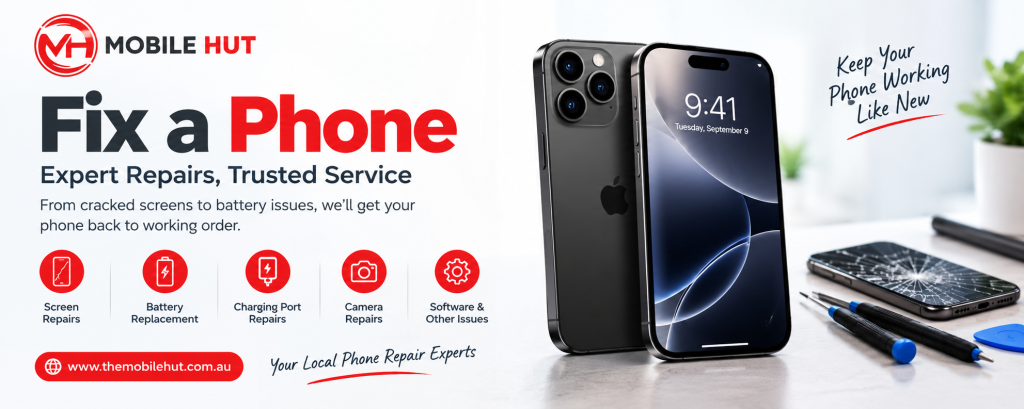
Smartphones have become an essential part of everyday life. From staying connected with family and friends to managing work, online banking, navigation, and entertainment, people rely on their phones for countless tasks. When a device stops working properly, even a small issue can cause significant inconvenience. Knowing how to fix a phone can help you identify common problems, understand which solutions are safe to try at home, and recognise when professional repair is the better option.
Whether you are dealing with a cracked screen, a battery that drains too quickly, charging difficulties, software errors, or an unresponsive touchscreen, the right approach can make a difference. Some problems can be resolved through simple troubleshooting, while others require technical knowledge and suitable replacement parts. For people searching for a reliable phone shop Jimboomba residents can visit, understanding the repair process is a useful first step towards making an informed decision.
At The Mobile Hut, customers can explore mobile phone repair options and learn more about keeping their devices in good working condition. This guide explains common smartphone problems, practical troubleshooting methods, preventative maintenance, and the situations in which professional assistance may help restore your phone.
Why Knowing How to Fix a Phone Matters
A smartphone problem does not always mean that the entire device needs replacing. Many faults involve individual components, software settings, or temporary performance issues that can be investigated before considering a new phone. Understanding the symptoms helps you decide what to do next and avoid unnecessary expenses.
For example, a phone that suddenly becomes slow might have limited storage space, too many applications running in the background, or software that needs updating. A device that refuses to charge could have a damaged cable, a faulty adapter, debris in the charging port, or an internal hardware problem. Identifying the likely cause makes troubleshooting more effective.
Learning how to fix a phone also helps you recognise potentially serious faults. A swollen battery, signs of liquid damage, or a device that becomes unusually hot should not be treated as ordinary performance problems. These conditions require caution and may need professional inspection.
The goal is not to repair every problem yourself. It is to understand what can be addressed safely, protect your personal information, and seek appropriate assistance when a fault goes beyond basic troubleshooting.
Common Phone Problems and Their Possible Solutions
Cracked or Damaged Phone Screens
A cracked screen is one of the most common reasons people seek smartphone repairs. Accidental drops, pressure in a pocket or bag, and impacts against hard surfaces can damage the display. Sometimes the glass cracks while the picture remains clear. In other cases, the screen develops black patches, coloured lines, flickering, or areas that no longer respond to touch.
If the glass is cracked, avoid pressing the damaged area because sharp fragments may cause injury. A screen protector may offer limited protection against loose glass, but it will not repair a broken display. Back up your data if the phone remains usable, and arrange an assessment if the damage affects visibility or touchscreen operation.
When you need to fix a phone with significant screen damage, a technician can assess whether the display assembly needs replacement. The appropriate repair depends on the phone model, the extent of the damage, parts availability, and the condition of the frame and internal components.
Continuing to use a badly damaged display can make everyday tasks difficult and may expose the device to further damage. Prompt assessment helps you understand the available options before the problem becomes more disruptive.
Phone Battery Draining Too Quickly
A battery that loses charge rapidly can affect your ability to use your phone throughout the day. Common causes include battery ageing, power-intensive applications, poor mobile signal, high screen brightness, background activity, and software problems.
Start by checking your battery usage settings to identify applications consuming the most power. Reduce screen brightness, enable battery-saving mode when appropriate, and close unnecessary background activities. Installing current software updates may also help if the problem is related to a software fault.
However, these steps will not restore a battery that has significantly deteriorated. Smartphone batteries gradually lose capacity through normal use and repeated charging cycles. If your phone shuts down unexpectedly, loses charge unusually quickly, or struggles to maintain power despite reasonable usage, the battery may need professional assessment.
Never attempt to puncture, bend, or open a lithium-ion battery. If the phone becomes swollen, separates at the seams, or develops unusual heat, stop using and charging it. Arrange appropriate professional advice rather than attempting a home repair.
Phone Not Charging Properly
Charging problems can have several causes, including damaged cables, defective adapters, worn charging ports, software issues, and internal component faults. Before assuming the phone needs repair, check whether the charging accessories are compatible and working correctly.
Try a known-good, compatible cable and power adapter. Inspect the charging cable for fraying or exposed wires, and look at the phone’s charging port without inserting metal objects or sharp tools. If the device has recently become wet, do not connect it to a charger until it has been assessed as safe to charge.
Dust and pocket lint can accumulate inside a port, preventing a reliable connection. Avoid forcing a cable into the socket or attempting risky cleaning methods. If the port is loose, visibly damaged, or only works when the cable is held at a particular angle, professional inspection may be necessary.
A phone shop Jimboomba customers consider for repairs may be able to assess charging-related faults and explain whether the issue involves the port, accessories, battery, or another internal component. An accurate diagnosis is more useful than replacing parts without identifying the cause.
Phone Running Slowly or Freezing
A slow smartphone can make ordinary activities frustrating. Applications may take longer to open, the keyboard may lag, and the device may freeze unexpectedly. These symptoms can result from insufficient storage, outdated software, demanding applications, overheating, or ageing hardware.
Begin by restarting the device. Check available storage and remove unnecessary downloads, duplicate files, or applications you no longer use. Before deleting important photographs or documents, ensure that they are backed up somewhere safe.
Next, review software updates and check whether a particular application is responsible for the problem. If the phone becomes slow only when using one application, updating or reinstalling that application may help. Always confirm that important information is backed up before removing an app that stores local data.
A factory reset may resolve certain persistent software problems, but it erases data stored on the device. It should not be the first troubleshooting step. If your phone repeatedly freezes after basic checks, professional diagnosis can help determine whether the cause is software-related or connected to failing hardware.
Phone Camera Not Working
A smartphone camera is important for capturing memories, scanning documents, attending video calls, and creating content. When the camera displays a black screen, refuses to focus, produces blurry photographs, or closes unexpectedly, the cause may be software or hardware related.
First, clean the camera lens gently with a suitable soft cloth. Remove any case or accessory that could obstruct the lens, then restart the phone and check whether the camera application has the necessary permissions.
If the problem affects only one application, update it and review its settings. If every application shows the same camera fault, or the camera stopped working after a drop or exposure to moisture, hardware damage may be involved.
Avoid opening the phone to inspect the camera yourself unless you have the appropriate repair training and equipment. A damaged camera module or internal connection may require professional attention.
Phone Speaker or Microphone Not Working
Poor call quality, muffled sound, and microphones that fail to pick up speech can interfere with communication. Before seeking a repair, check the volume level, disconnect Bluetooth accessories, and test the phone with different applications.
Make sure the speaker openings and microphone areas are not blocked by a case or visible debris. Avoid inserting pins or other sharp objects into these openings because they can damage delicate components.
If calls remain difficult to hear, voice recordings are consistently unclear, or sound disappears completely, a hardware fault may be responsible. Water exposure, impact damage, worn components, and internal connection problems can all affect audio performance.
Testing the phone carefully and describing the symptoms can help a technician identify the appropriate next steps.
Safe Troubleshooting Steps to Try Before Professional Repair
Before taking your phone for repair, there are several basic steps that may help resolve minor issues. The important thing is to proceed carefully and avoid actions that could make an existing fault worse.
Restart Your Smartphone
Restarting a phone is a simple first step when applications freeze, the interface becomes unresponsive, or temporary glitches occur. A restart clears some temporary system activity and allows the operating system to load again.
Use the normal restart procedure for your particular device. If the touchscreen does not respond, consult the manufacturer’s instructions for the correct button combination rather than repeatedly pressing random controls.
Update the Operating System and Applications
Software updates may fix known bugs, improve compatibility, and address certain performance issues. Check the official settings menu for your phone’s available updates and install them when appropriate.
Before updating, make sure the battery has sufficient charge and your important information is backed up. Avoid installing operating system files or repair applications from unfamiliar websites, as these can introduce security risks.
Check Storage and Battery Settings
Low storage can interfere with application performance and system operations. Review your storage usage and remove unnecessary files only after confirming that important information is safely backed up.
Battery settings can also help you identify applications that use excessive power. Restrict unnecessary background activity where appropriate, and consider whether poor signal strength or consistently high screen brightness is contributing to battery drain.
Back Up Your Important Data
Before arranging a repair, back up photographs, contacts, documents, and other important information wherever possible. Depending on your device, you may be able to use a cloud backup service or a computer.
Confirm that your backup has completed successfully rather than assuming that everything has been saved. Keep your account recovery information secure, and follow the repair provider’s instructions for protecting personal data.
If the phone is severely damaged, overheating, or has a swollen battery, do not keep using it simply to complete a backup. Safety should come first.
When Should You Seek Professional Phone Repair?
Basic troubleshooting is useful for simple problems, but some symptoms indicate that professional inspection is the safer choice. These include a broken display that affects touch functionality, a charging port that no longer connects reliably, repeated unexpected shutdowns, camera failure following an impact, and persistent software problems that do not respond to normal troubleshooting.
Liquid damage deserves particular attention. Even when a phone appears to work after getting wet, moisture may affect internal components over time. Powering on or charging a wet device can increase the risk of further damage. Follow the manufacturer’s safety guidance and obtain professional advice.
You should also seek assistance when the device contains important information that you cannot easily recover, or when the fault requires opening the handset. Modern smartphones contain delicate connectors, adhesives, batteries, and compact components that can be damaged by unsuitable tools or incorrect repair procedures.
If you need to fix a phone and are unsure about the cause, an assessment can help clarify the problem, available repair options, estimated costs, and expected turnaround time. Ask for an explanation before approving the work, particularly if several components may be affected.
Choosing a Phone Shop Jimboomba Residents Can Trust
Finding a suitable repair provider is an important part of getting your smartphone working properly again. If you are searching online for a phone shop Jimboomba residents can access, look beyond the nearest location or the lowest advertised price.
A reliable provider should be willing to explain the symptoms, outline the proposed repair, and discuss the parts required. Clear communication helps you understand what is being repaired and whether any limitations apply.
Look for Clear Repair Information
Choose a repair service that explains the likely cause of the fault and the work that may be required. Ask whether the device needs a diagnostic assessment, whether the repair price includes parts and labour, and whether additional problems could affect the final cost.
A professional assessment should distinguish between a confirmed fault and a possible cause. For example, a phone that fails to charge does not automatically need a new charging port. The cable, adapter, battery, or internal circuitry could also be responsible.
Ask About Parts and Repair Warranty Terms
Replacement parts can differ in quality, compatibility, and availability. Before agreeing to a repair, ask which type of part will be used and whether the repair includes a warranty. Request clear information about the warranty period, what it covers, and any exclusions.
It is also worth asking whether the repair may affect water resistance or other manufacturer specifications. A repaired phone should not automatically be assumed to retain its original water resistance.
Consider Communication and Convenience
Good communication is important when you depend on your phone for work, family responsibilities, and everyday activities. A repair provider should explain the next steps, provide realistic time estimates where possible, and tell you if additional work is required.
How to Protect Your Phone After Repair
Once your phone has been repaired, a few everyday habits can help reduce the risk of future problems. Start by using a suitable protective case and a screen protector that fits the device correctly. These accessories cannot prevent every accident, but they can reduce the impact of minor knocks and scratches.
Use compatible charging accessories and avoid exposing the phone to excessive heat. Do not leave it in direct sunlight for extended periods, and avoid charging it under bedding or other materials that can trap heat.
Keep the operating system and applications updated through official channels. Remove applications you no longer need, review app permissions occasionally, and maintain regular backups of important data.
Keep liquids away from your device, even if the manufacturer describes it as water-resistant. Water resistance is not the same as waterproofing and may decrease as a phone ages or experiences damage.
Finally, pay attention to changes in performance. A battery that suddenly deteriorates, a screen that begins flickering, or a charging connection that becomes unreliable should be investigated before the problem causes greater inconvenience.
Is It Better to Repair Your Phone or Replace It?
The decision to repair or replace a phone depends on several factors, including its age, overall condition, performance, repair cost, and the importance of the information stored on it.
A repair may be worthwhile when the device otherwise works well and the fault involves a replaceable component, such as a screen or battery. Keeping a functioning phone can also reduce electronic waste and help you avoid the cost of transferring information and setting up a replacement device.
However, replacement may be more practical when the phone has several serious faults, no longer receives essential security updates, or requires repairs that approach the cost of a suitable replacement.
Before deciding, compare the estimated repair cost with the price of a replacement that meets your needs. Consider battery life, storage, software support, camera performance, and the condition of the existing device.
If the phone contains important photographs, messages, or documents, also consider whether the data can be recovered. Data recovery is not guaranteed, and repeated attempts to power on a severely damaged device may worsen the situation.
A clear diagnosis and realistic cost estimate will help you make a decision based on the phone’s condition rather than assumptions.
Why Regular Phone Maintenance Makes a Difference
Preventative maintenance can help you identify small issues before they become major inconveniences. Keeping your software updated, maintaining sufficient storage, using suitable accessories, and protecting the screen can support everyday reliability.
It is also useful to review your backup settings and make sure you can access your important accounts if your phone becomes unavailable. Strong passwords, multi-factor authentication, and secure recovery options help protect your information if the device is lost, damaged, or sent for repair.
Avoid downloading unofficial system modifications or using unfamiliar applications that promise instant hardware repairs. Software cannot physically repair a broken display, restore a worn-out battery, or replace a damaged charging port.
When a fault continues despite sensible troubleshooting, seeking advice early can help you understand the available options. You may be able to address the problem before it affects more components or interrupts important daily activities.
Get Help When You Need to Fix a Phone
Smartphone problems can range from minor software glitches to damaged screens, failing batteries, charging difficulties, and internal hardware faults. Understanding the symptoms allows you to try safe troubleshooting steps and recognise when a professional assessment is necessary.
If you need to fix a phone, start by identifying when the problem began, whether the device has suffered an impact or liquid exposure, and which functions are affected. Back up your information when it is safe to do so, avoid risky DIY repairs, and ask for a clear explanation of the recommended solution.
With careful maintenance, informed troubleshooting, and appropriate professional support, you can make better decisions about your smartphone, protect your important information, and potentially extend the useful life of your device.
