
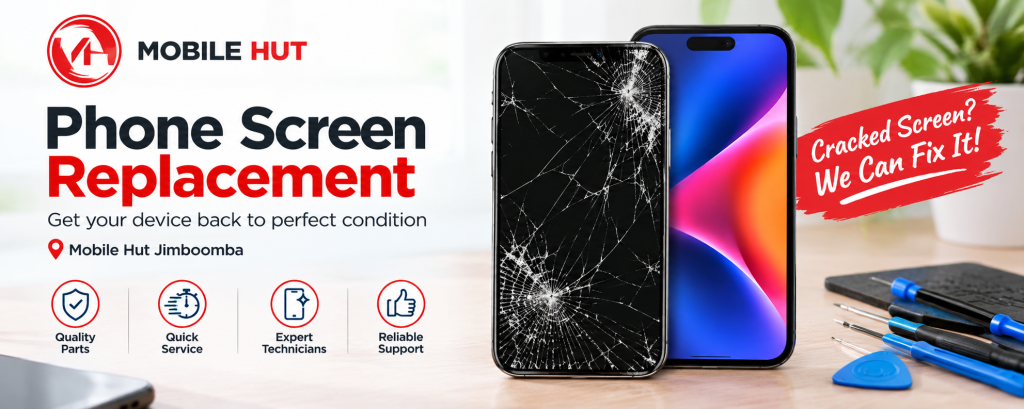
A smartphone has become an essential part of everyday life. From staying connected with family and friends to managing work, banking, taking photographs, and accessing important information, people rely on their phones throughout the day. However, accidents can happen at any time. A phone can slip from your hand, fall from a table, or suffer damage inside a bag. Even a single drop can result in a cracked screen, an unresponsive touchscreen, or display problems that make the device difficult to use. When this happens, professional phone screen replacement can help restore your smartphone’s usability without requiring you to purchase an entirely new device.
For people looking for reliable mobile phone repair services in Jimboomba, understanding the causes of screen damage, recognising the warning signs, and choosing the right repair service can make the process much easier. The Mobile Hut provides mobile phone and tablet repair services in Jimboomba, helping customers find practical solutions for common device problems.
This guide explains everything you need to know about phone screen replacement, including common causes of damage, signs that your screen needs attention, the repair process, and ways to protect your phone after a replacement.
What Is Phone Screen Replacement?
Phone screen replacement is a repair service that involves removing a damaged smartphone display assembly or screen component and fitting a compatible replacement. The exact procedure depends on the phone’s make, model, construction, and type of damage.
Modern smartphones use advanced display technology, including LCD and OLED screens. These displays are designed to provide clear images, responsive touch controls, and vibrant colours. Unfortunately, they can still be damaged by impacts, pressure, and other everyday accidents.
A screen may appear usable even when it has visible cracks. In other situations, the glass may look intact while the display underneath shows black patches, coloured lines, flickering, or touch sensitivity problems. A professional assessment helps identify the extent of the damage and determine the appropriate repair.
Choosing a suitable replacement screen is important because compatibility affects display quality, touch responsiveness, and the overall performance of the repaired device. A reliable repair service should explain the available options and provide a quote before proceeding.
Common Causes of Smartphone Screen Damage
Accidental Drops and Impacts
Accidental drops are among the most common reasons people need phone screen replacement. A phone may fall onto concrete, tiles, asphalt, or another hard surface. The impact can crack the outer glass, damage the display panel, or affect the internal components.
Even a drop from a relatively low height can cause damage depending on the landing angle, surface, and phone design. A protective case can help reduce some impact, but it cannot guarantee that the screen will remain undamaged.
Pressure on the Display
Excessive pressure can damage a phone screen without leaving obvious signs of impact. Sitting on a phone, placing heavy objects on it, or keeping it tightly compressed inside a bag can affect the display.
Pressure-related damage may appear as dark areas, coloured lines, flickering, or sections of the screen that stop responding. If these symptoms develop after the phone has been squeezed or bent, professional inspection is advisable.
Scratches and Surface Damage
Keys, coins, grit, and other hard objects can scratch a phone screen when they come into contact with it. Although minor scratches may not affect normal operation, deeper scratches can make the display uncomfortable to use and may contribute to further damage.
A quality screen protector can help reduce everyday scratches. However, it cannot repair an existing crack or restore a damaged display panel.
Exposure to Moisture
Moisture can affect the display and other internal components of a smartphone. Rain, spills, and accidental immersion may cause screen irregularities, touch problems, or internal corrosion.
If a phone becomes wet, avoid charging it while moisture may be present. Do not apply heat or attempt to open the device yourself. Seek professional advice because replacing the screen alone may not resolve moisture-related damage.
Signs You May Need Phone Screen Replacement
Visible Cracks Across the Screen
Cracks are the most recognisable sign of screen damage. They may begin as a small line near a corner and spread across the display after additional impacts.
Even when the phone continues to work, damaged glass can make everyday use less comfortable and may create sharp edges. Arranging an assessment early can help you understand whether the screen needs replacement and whether other components have been affected.
Touchscreen Problems
A smartphone touchscreen allows you to type messages, open applications, navigate menus, and perform other everyday tasks. When the screen becomes damaged, some areas may stop responding or may register touches incorrectly.
If restarting the device does not resolve the issue and the problem began after physical damage, the screen assembly may require attention. Avoid repeatedly pressing damaged areas because extra pressure will not repair the underlying fault.
Black Spots, Lines, or Flickering
Black patches, vertical lines, unusual colours, and flickering can indicate damage to the display panel. Sometimes these problems appear even when the outer glass has only a small crack or no visible crack at all.
These symptoms can make it difficult to read messages, view photographs, or use applications. A technician can assess whether the display needs replacement or whether another hardware problem is responsible.
Screen Lifting or Separation
If the display begins lifting away from the phone’s frame, do not press it back into place. Screen separation can have several causes, including adhesive failure or internal battery swelling.
A swollen battery can be a safety concern. If the phone appears unusually thick, the screen is lifting, or the device becomes abnormally hot, stop using and charging it and seek professional advice promptly. A screen replacement alone may not be the appropriate solution.
Why Professional Phone Screen Replacement Matters
A smartphone contains delicate components that must be handled carefully during repair. The display may be connected to internal cables, sensors, cameras, and other components that can be damaged if the device is opened incorrectly.
Professional repair helps reduce the risk of additional damage and supports a more reliable result. A technician can inspect the device, identify visible and underlying faults, and explain the repair options available for its model.
Professional phone screen replacement also helps ensure that the replacement component is compatible with the device. Screen quality can influence brightness, colour accuracy, touch responsiveness, and the general user experience.
Another important consideration is device testing. After a repair, the screen should be checked for touch response, display clarity, and other relevant functions. The exact tests depend on the device and the work performed.
Before booking, customers should ask about the replacement part, estimated turnaround time, repair price, and applicable warranty terms. Clear communication makes it easier to decide whether a repair is the right choice.
Phone Screen Replacement at Mobile Hut Jimboomba
When a damaged phone interrupts your daily routine, finding a convenient local repair service can save time and reduce uncertainty. Mobile Hut Jimboomba is a local option for people who need assistance with smartphone and tablet problems.
The Mobile Hut website lists screen replacement among its repair services, alongside battery, camera, and charging port repairs. Customers can contact the business, visit the store, or use its available booking options to discuss their device.
Choosing a local repair provider can make it easier to explain the problem, ask questions, and receive information about the repair process. Before arranging a screen replacement, provide the exact phone brand and model, describe how the damage happened, and mention any symptoms such as flickering, touch failure, or unexpected shutdowns.
A repair quote should take the device model, screen type, parts availability, and extent of the damage into account. If the phone has suffered a significant impact, ask whether the frame or any internal components also require inspection.
Understanding the Phone Screen Replacement Process
Step 1: Device Assessment
The repair process generally begins with an assessment of the damaged phone. The technician examines the screen, checks the reported symptoms, and determines whether the problem appears limited to the display or may involve other components.
This step helps establish the likely repair requirements. It also provides an opportunity to discuss pricing, expected repair time, and any limitations before work begins.
Step 2: Selecting a Compatible Replacement Screen
Different smartphone models require different display components. Even phones from the same brand may use screens with different dimensions, connectors, features, and specifications.
The replacement should be compatible with the specific device model. Ask the repair provider to explain the available part options and any relevant differences in display performance or features.
Step 3: Removing the Damaged Display
Once the repair is approved, the technician follows the appropriate procedure to open the device and remove the damaged display. This work requires care because modern phones contain compact internal components and delicate connections.
Attempting the same procedure without suitable tools or experience can damage the frame, cables, battery, or other parts.
Step 4: Installing and Testing the New Screen
The compatible replacement screen is installed and connected according to the device’s design. The technician then checks the display and touchscreen to confirm that they operate as expected.
Depending on the model, additional functions may need checking, including front-facing cameras, proximity sensors, brightness controls, and biometric features. Some devices also require specific calibration or software procedures.
Step 5: Final Checks and Collection
Before collecting the repaired phone, customers should ask about the completed checks and any care recommendations. Inspect the screen for visible issues and confirm that basic touch functions work correctly.
Also, clarify the repair warranty and what it covers. Warranty conditions vary, so it is important to understand the terms provided for your particular repair.
How Long Does Phone Screen Replacement Take?
The time required for phone screen replacement depends on the phone model, screen availability, the type of damage, and the complexity of the repair.
Some straightforward screen replacements can be completed relatively quickly, while other devices require more extensive disassembly, testing, or additional repairs. A damaged frame, moisture exposure, or problems with internal components may also increase the time required.
The Mobile Hut website indicates that some screen replacements can take approximately 30 minutes. However, this should not be treated as a guaranteed timeframe for every device.
The most practical approach is to contact the repair provider with your phone model and a description of the damage. This allows the team to advise you about parts availability and provide a more realistic estimate.
What Affects the Cost of Phone Screen Replacement?
There is no single price that applies to every smartphone screen replacement. The cost depends on several factors, beginning with the make and model of the phone.
Premium devices may use advanced OLED displays, integrated components, or specialised assemblies that cost more to replace. Other phones may have more affordable replacement options.
The type of damage also matters. If the frame is bent, internal connectors are damaged, or moisture has affected the device, additional work may be necessary. A repair quote should reflect the actual condition of the phone rather than the visible crack alone.
Replacement part quality can also affect pricing. Ask what type of screen will be installed and whether any differences in display quality, compatibility, or functionality apply.
Finally, consider the phone’s age and overall condition. If the device has several faults or its repair cost approaches the cost of a suitable replacement phone, comparing both options may help you make a more informed decision.
Should You Replace the Screen or Buy a New Phone?
A damaged screen does not automatically mean you need a new smartphone. If the device otherwise works well, phone screen replacement may be a practical way to extend its useful life.
Repair may be particularly worthwhile when the phone has good battery performance, sufficient storage, reliable connectivity, and the features you need. Keeping a working device in use can also reduce electronic waste.
However, replacement may deserve consideration if the phone has multiple major faults, no longer receives essential software updates, or requires repairs that are disproportionately expensive.
Before making a decision, compare the screen repair quote with the price of a suitable replacement phone. Consider how long you expect to use the device, whether your data can be transferred safely, and whether the repair will address all the problems you have experienced.
A professional assessment can help you understand the condition of the phone and the options available, but the final decision should reflect your budget and requirements.
How to Protect Your Phone After Screen Replacement
Use a Suitable Protective Case
A well-fitting protective case can help absorb some impact when a phone is dropped. Choose one designed for your exact model, with raised edges that provide some protection around the display and camera.
Although no case can prevent every type of damage, it can reduce the risk associated with common everyday accidents.
Install a Screen Protector
A suitable screen protector helps guard against everyday scratches and minor surface wear. Choose a protector that fits the device properly and works with its touchscreen.
A screen protector is not a substitute for a strong case, and neither accessory guarantees that the display will survive a serious impact.
Avoid Keeping Your Phone with Hard Objects
Carrying a phone in the same pocket as keys, coins, or other hard objects increases the possibility of scratches. Keeping your device in a separate pocket or protected compartment is a simple precaution.
Also, avoid placing your phone under heavy bags, books, or other objects that may put pressure on the display.
Keep Your Phone Away from Extreme Conditions
Excessive heat, moisture, and sudden temperature changes can affect electronic devices. Follow the manufacturer’s recommendations for temperature and water exposure, and do not assume that a previously water-resistant phone will remain fully protected after damage or repair.
Handle Your Device Carefully
Use a secure grip, avoid balancing your phone on unstable surfaces, and take extra care when using it near hard floors or concrete. These small habits can help reduce the risk of another screen accident.
Preparing Your Phone Before Repair
Before handing over your phone for repair, take a few simple precautions. Back up important photographs, contacts, documents, and other files whenever the device is still usable. Although a screen replacement does not necessarily erase data, unexpected faults or additional repair work can create risks.
Check whether you know your device passcode and account credentials, but never share passwords unnecessarily. Ask the repair provider whether any access to the device is required for testing and follow the manufacturer’s guidance for protecting personal information.
If the screen is badly cracked, avoid pressing on broken glass. If the phone shows signs of battery swelling, overheating, or serious moisture damage, do not continue charging it simply to complete a backup. Seek professional guidance first.
Remove accessories that are not needed for the repair, and explain any existing problems to the technician. Providing accurate information about previous repairs, liquid exposure, and the circumstances of the damage can help with diagnosis.
Frequently Asked Questions About Phone Screen Replacement
Is It Worth Replacing a Cracked Phone Screen?
In many cases, yes. If the phone otherwise meets your needs and the repair cost is reasonable, replacing the screen may be more economical than buying a new device. A technician can assess the damage and explain the available options.
Can a Cracked Screen Get Worse?
Yes. Additional impacts, pressure, and everyday use can cause cracks to spread or lead to further display problems. Damaged glass may also have sharp edges. Arrange an assessment rather than assuming a small crack will remain unchanged.
Will My Data Be Lost During Screen Replacement?
A standard screen replacement does not necessarily erase the phone’s data. However, no repair process should be treated as completely risk-free. Back up your files beforehand whenever it is safe and practical to do so.
Can Every Smartphone Screen Be Replaced?
Many smartphones have replaceable display assemblies, but availability, repair complexity, and parts options vary by model. Contact a repair provider with your exact device details to confirm the available service.
Conclusion
A damaged smartphone screen can affect communication, work, entertainment, and everyday activities. Understanding the warning signs and arranging an appropriate repair can help you restore your device’s usability and avoid unnecessary replacement costs.
Professional phone screen replacement involves more than fitting a new piece of glass. The repair should account for the phone’s display technology, internal components, compatible replacement parts, and final function checks. Taking time to compare repair options and understand the quoted cost can help you make a confident decision.
For people seeking a local option, Mobile Hut Jimboomba provides smartphone and tablet repair services, including screen replacement. By explaining the problem clearly and asking about parts, turnaround time, and warranty terms, you can better understand what to expect before proceeding.
After the repair, using a protective case, installing a suitable screen protector, and handling your device carefully can help reduce the risk of future damage.
